Prerequisites:
Steps
- Go to the "End-Users" page.
- Select the customer to which the products will be assigned.
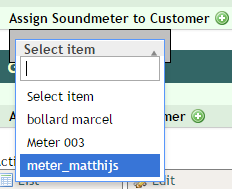
- At the bottom of the Soundmeter and Gateway boxes, you can click on the icon next to "Assign to customer":

- A dropdown will appear where you can filter and select the hardware that you want to assign:
0 Comments