Why a calendar
Decide when a notification is send kan be done by usage of a calendar. Sometimes you want a notification to only send a notification for certain times or dates or both. This is possible by using a calendar. A calendar is set on a Compliance Criterium and decides when a notification is checked.
Create a calendar:
In the menu select the page "Calendar" (if you do not have this menu-item dont hesitate to contact us). Here press "new".

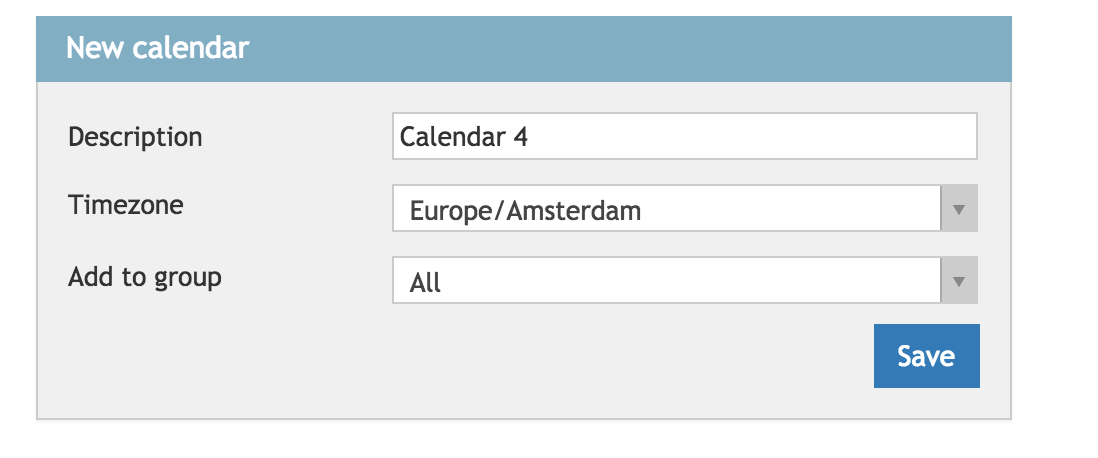
Here you arrive in a screen where you can give the calendar a name. Make sure this name is recognisable this name is used in a later stadium. Here the calendar can be added to a group. This ensures the calendar is only accessible by people whom are currently in the group.
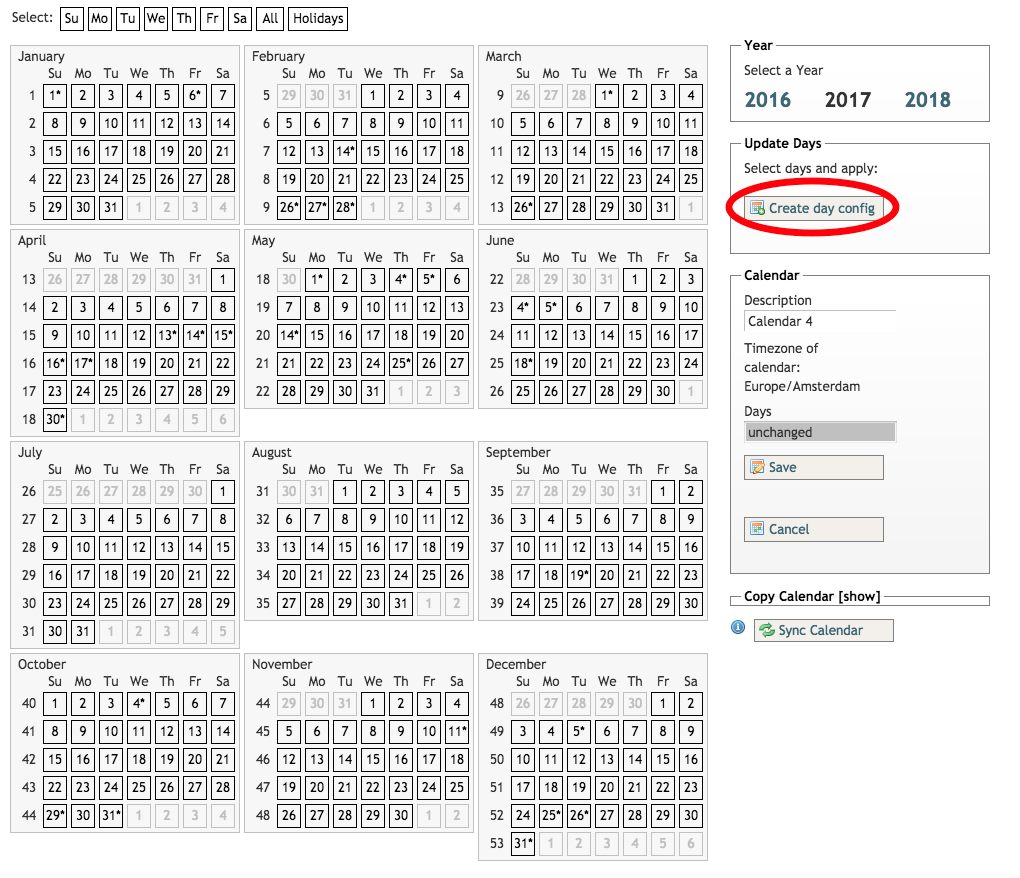
The screen after this shows a year calendar. Here you can select multiple days and add a day configuration for this day. This day configuration has to be created first.
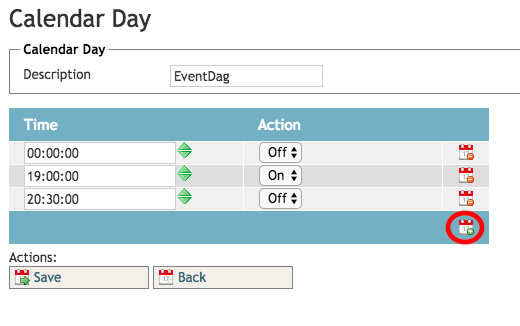
A calendar day has 24 hours and decides if a notification is active or not. The first status you should set is that of 00:00 because it is not sure what state the notification had the previous day. This could have been a completely different day configuration.
After one or multiple day configutations are made, they can be assigned to days in the year calendar. This can be done by clicking on a day and thus selecting this day, then click on a day configuration. The selected day will change color to the color of the day configuration. 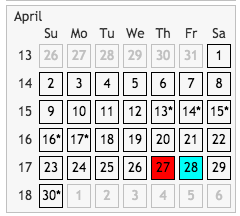

Finally the calendar needs to be saved so it can be added to a Compliance Criterium.
Adding to a Compliance Criterium:
Adding a calendar to a Compliance Criterium is the last thing that needs to be done to allow a notification to be send when you want it to be send. This can easily be done in the Compliance Criteria that has been made. (For more information about the creating of new Compliance Criteria click here)
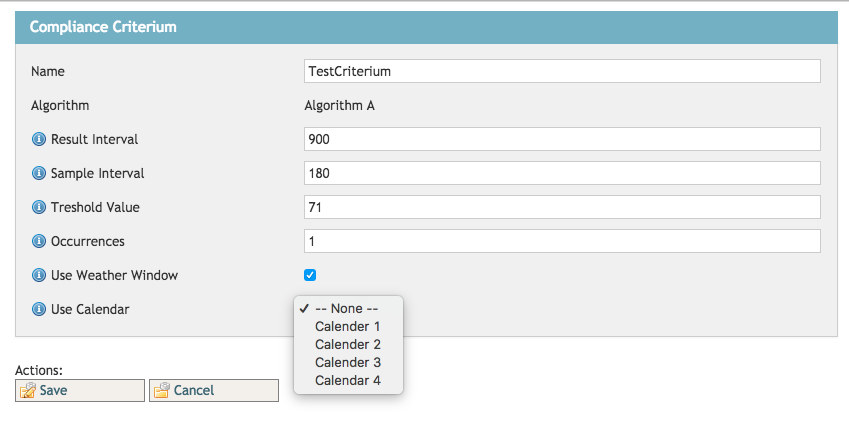
When the Compliance Criterium is saved with its brand new calendar it wil only send notifications when the calendar this allows!
0 Comments