Users can be notified by the Munisense portal when an alarm is triggered. A notification can for example be sent if the LAeq/LCeq of a Sound Measurement Point exceeds a given value or if the water level of a GroundwaterWell reaches a certain value.
A notification can be sent in the form of an email or via SMS.
A notification will be triggered when a couple of criteria are met:
- The user that will receive the alarm has notifications enabled
First go to your user settings.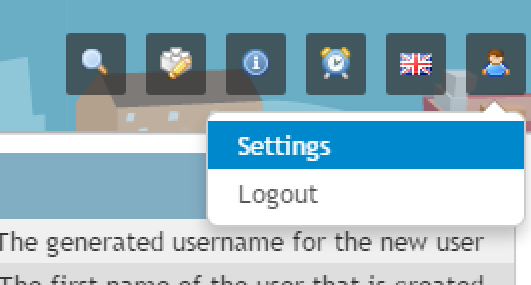
Here you can enable/disable notifications.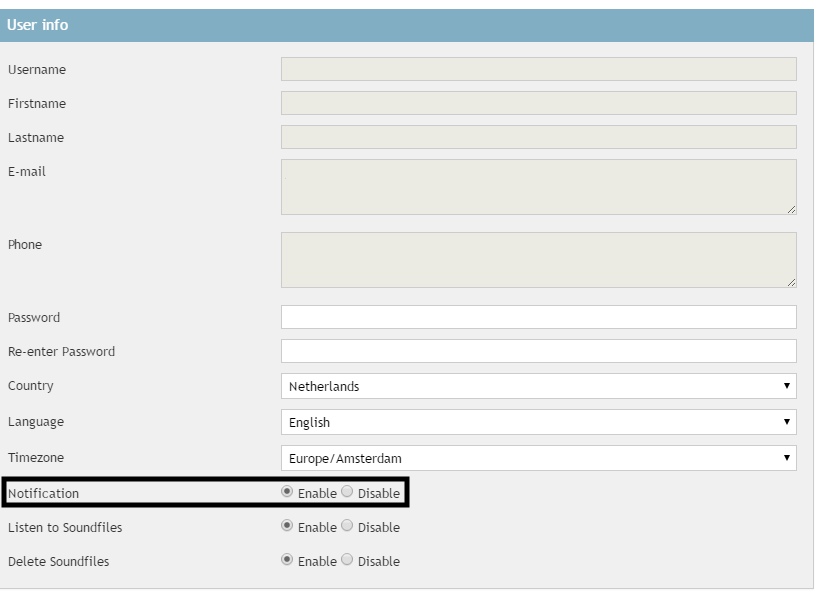
- The time of the alarm is not excluded in the user profile
At the bottom of the user settings page, you can select the hours in which you want to receive notifications. If the notification is triggered in a period where you disabled the notifications, you will not receive the notification.
- There is a Notification entry that includes a User, an alarm condition, an object and a property
When creating a notification you have to fill in a couple of parameters:
Group To what group the object you are setting the notification for, belongs to. Type What type of object you are using for the notification, e.g. a GroundwaterWell. ID The specific object to set the notification for. Property The property of the object you are setting the notification for, e.g. LAeq. Compliance Criterium What rule to use to determine if the notification is triggered. Timeout The time between notifications, so you don't get a ton of notifications. Notification type If you want an email, an SMS or both when the notification triggers. 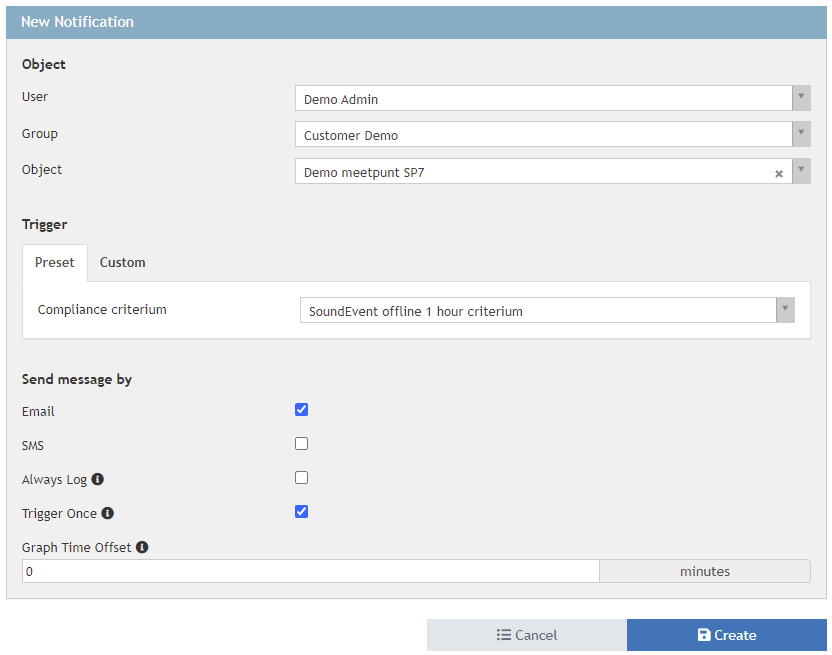
-
The alarm condition (Compliance Criterium) is satisfied
The condition, or the Compliance Criterium as described above, is the rule that is used to determine if the notification should be sent or not. Compliance Criteria come in a couple of forms. Currently only portal administrators can create new Compliance Criteria.Last sample Check if the min, max, or average value over a given period is less than, higher than or equal to a given value. Last value Check if last value is less than, higher than or equal to a given value. Algorithm A Sample a given period over another smaller period and check if the threshold value exceeds the amount of occurrences. Eval Algorithm Evaluate a given condition. Budget Check if the (construction noise) daily budget over a set of time intervals exceeds the notification threshold before it can exceed the budget. LDEN Check if the current day, evening or night value exceeds the LAeq- day, evening or night threshold set in the sound measurement point. Sustainder Sample a given period over another smaller period and check if the threshold value exceeds the amount of occurrences. If so, sent the above threshold values to the armature with the given LCM ID. Reset to the below threshold values after the reset delay has passed.
Please note: notifications are evaluated by the portal once per minute.
0 Comments