We have the option to export water measurements in the DINO Loket format (NITG).
To accomplish this:
- Open the Export page in the menu.
- Click New
- Add description, select your group, select the DO Type: GroundwaterWell
- To the right a new Export Action will appear, "Export Dinoloket (NITG)"
- Check that action and fill in the options.
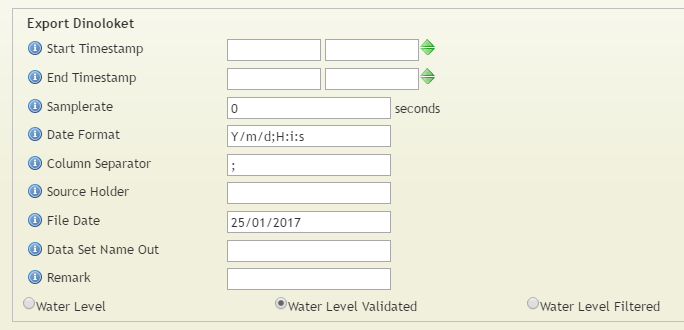
Hover over the different options to get more information.
6. Click Save
7. Click Export Data
8. Wait till the fill is downloaded and then click "Download"
0 Comments