Are you currently logged in to your portal?
Click on the user icon in the top-right corner of your portal and click on Settings.
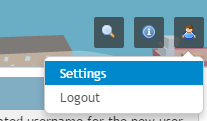
From here you can enter a new password; re-enter it to validate the new password. Click Save and your password will be changed.
Are you currently not logged in?
Go to the login page at: https://login.munisense.net/ and click on the "Forgot password?"-link.
From here you can enter your username and click on "Reset Password". You will receive an email to reset your password.
0 Comments