Introductory note
All class 1 sound meters have been calibrated by the manufacturer of the device. Calibration reports are available for all class 1 sound meters. Please contact support to request a copy of the report.
Class 2 sound meters are calibrated in-house using a calibrator like the ones on this picture.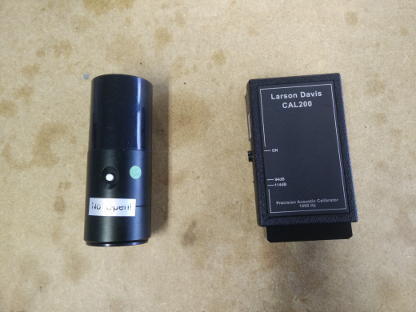
Performing a calibration
Calibration of a sound meter is done using the portal.
Note: The device itself does not have a calibrate button.
To perform a calibration, you need to have the following:
- A calibrator (if you do not have one, please contact support)
- Access to your sound meter
- Access to your portal
Your portal should contain a page called "SoundCalibration". If you do not see this page please contact support.
The calibration page looks like this:
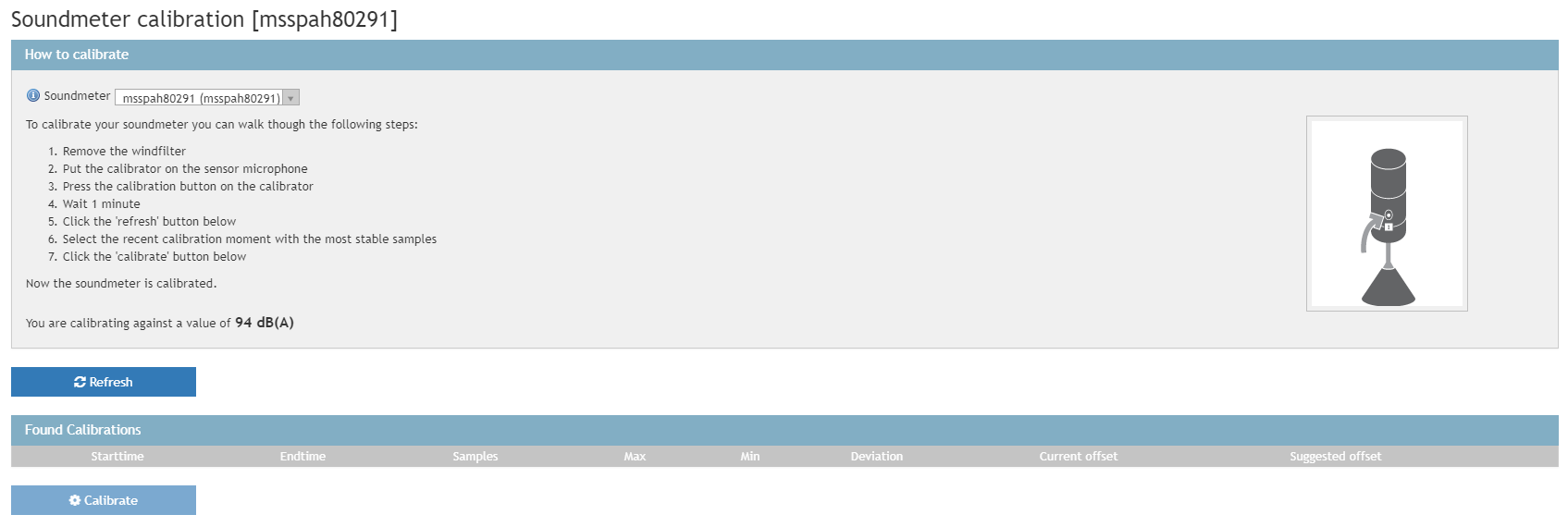
Once you are on this page please start of by selecting your sound meter from the dropdown menu at the top.
Now follow the steps on the screen to perform a calibration.
0 Comments